Your LoRa unit may come unassembled. They usually snap together.
To make assembly easier:
Bend the battery wires away from the walls of the enclosure to keep
them from interfering with the halves of the enclusure when you snap
them together.
Route the antenna wire likewise.
The antenna connector can be bolted in place before final assembly.
Carefully slide the tab that makes part of the antenna conector opening
under the lock washer.
Operating without an antenna can damage the
unit. Be sure to connect the antenna before applying power.
2. Install the CP210 VCP Driver on your computer
Many ESP32 boards use a Silicon Labs CP210x USB-to-UART chip for
communication. Without the driver, your computer may not recognize the board.
After installation, plug in your Heltec ESP32 board.
Open Device Manager → expand Ports (COM & LPT).
You should see Silicon Labs CP210x USB to UART
Bridge (COMx).
The above hardware will not appear unless the LoRa device is plugged
in to the USB port.
Either x will be a number that may differ depending on the driver
version and your computer configuration. For example, the driver may
appear as CP1202, and the serial port as COM4.
Note the COM port number, you will need it later.
MacOS:
Download the Mac VCP driver from the same Silicon Labs page.
Install the package.
Plug in your Heltec ESP32 board.
Runls /dev/cu.* in Terminal—you should see a device
like /dev/cu.SLAB_USBtoUART.
Linux:
Most modern distributions already include CP210 drivers.
Plug in your Heltec ESP32 board and run dmesg | grep ttyUSB to confirm detection.
3. Open the Meshcore Web Flasher
Make sure you are using a supported browser. Safari
and Firefox do not support web flashing:
Chrome
Edge
Brave
Go to meshcore.co.uk (the official Meshcore site).
Select the Web Flasher
Select your hardware. My suggested hardware is based on the Heltec ESP32
v3. If you are using that, choose Heltec v3
The Heltec
ESP32 v3 as shown on the Meshcore Web Flasher page. The device shown is
in a different enclosure that doesn't have room for a battery.
4. Connect Your ESP32
Plug the ESP32 into your computer using a data-capable USB cable.
On the Meshcore flashing page, select Companion Bluetooth.
Scroll down the page if necessary and tick the box next to Erase
Device.
Do not erase your device if you are upgrading the firmware on a
working unit.
Click the Flash button.
A popup will appear showing available serial ports.
Select the port labeled CP210x, USB to UART
Bridge Controller (COMx) - paired
If you don't see the above controller, it may appear with a
different name. It is likely that the CP210x is the only COM port on
your computer so try whatever appears in lieu of the above.
If no COM port appears:
Reinstall the CP210x driver
Try a different USB cable
Try a different USB port
Click Connect.
5. Flash the Firmware
After clicking Connect, the firmware will install, taking
about one minute
When complete, the process ends with the
message Hard resetting via RTS pin...
6. Pair With Your Phone
Open the Meshcore app on your phone.
Turn on Bluetooth.
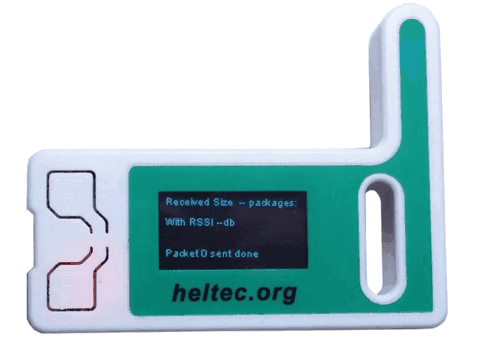
Power the ESP32 by pressing the reset button (the
reset button is to the lower left of the device screen. The device may reboot automatically after
flashing).
Look
for your device in the bluetooth devices. I should be called Meshcore
xxxxxxxx (a random hexadecimal number).
Look on your device screen for a Bluetooth
passkey. If the screen is blank, press the option button
(the option button is to the upper left of the device screen).
Pair your phone to the device.
Once paired you should see the Contacts screen
in the Meshcore app showing No Contacts (you will see contacts soon).
7. Configure your device for the West Coast Mesh
community.
Press the gear icon in the upper right corner
of the screen
Find the Choose Preset button
Select USA/Canada
Change the Radio Settings to the following (press each number to change it):
 at the top of
the screen then press Advert - Flood Routed
at the top of
the screen then press Advert - Flood Routed